









QuickBooks MCP for AI Agents: Zapier vs. Composio vs. Pipedream
Comparing three managed platforms for giving AI agents QuickBooks access via MCP: Zapier, Composio, and Pipedream (tools, pricing, and fit).
On this page +
See it live
Ask Kipper about your QuickBooks data.
Invoices, payments, vendor bills and purchase orders.
Schedule free onboardingNo signup. Runs in your browser.
If you’re building an AI agent that needs to touch QuickBooks (file an expense, look up a customer, reconcile a payment against an invoice), you don’t have to build or host an MCP server yourself. Three managed platforms already expose QuickBooks as agent-callable tools: Zapier, Composio, and Pipedream. All three handle OAuth for you and meter usage instead of charging a flat fee, but they’re built for different shapes of agent: a broad automation reaching many everyday apps, a purpose-built agent product, or tools embedded inside your own software for other people’s end users.
This is the QuickBooks AI agent landscape as of mid-2026: three managed platforms, no server required.
Compared in this post:
- Zapier MCP for QuickBooks Online
- Composio QuickBooks toolkit
- Pipedream QuickBooks apps
- How their pricing models actually compare
- Which one fits which kind of agent
What “agent-first” access to QuickBooks means
Running Intuit’s own MCP server, or a community alternative, means you own the OAuth app, the process, and the credentials. These three platforms trade that ownership for a managed connection: you authorize QuickBooks once through their hosted flow, and your agent calls their endpoint instead of a server you maintain. That’s the fastest way to connect an AI agent to QuickBooks without owning any infrastructure yourself. In exchange, QuickBooks becomes one of thousands of apps reachable the same way. That’s the real pitch: not QuickBooks access on its own, but one connection an agent can reuse for everything else it touches too.
The trade-off is that none of these are read-only by design. They exist to let an agent take action, so the tool lists are dominated by create and update operations. That’s a feature if you’re automating a workflow, and a risk if you’re not scoping credentials carefully.
The scope you are actually handing over
Two pieces of QuickBooks plumbing decide what any of these connections can do, and they’re worth understanding before the platform comparison rather than after it.
The first is the realm. QuickBooks identifies a company file by a realmId, handed to your app at the end of the OAuth callback and baked into every request path afterward: /v3/company/{realmId}/invoice/.... One authorization resolves to one realm. A business running two QuickBooks companies is two connections, and an agent holding both has to keep straight which one it’s asking. Point it at the wrong realm and you get a clean, plausible answer about the wrong books.
The second is the scope, and QuickBooks is blunter here than most accounting APIs:
| Scope | What it permits |
|---|---|
com.intuit.quickbooks.accounting |
Read and create, update, delete, and void accounting entities |
com.intuit.quickbooks.payment |
QuickBooks Payments, card and ACH charges |
openid, profile, email, phone, address |
Identity claims about the authorizing user, not company data |
There is no .read variant. Xero splits accounting.transactions.read from accounting.transactions; QuickBooks doesn’t split anything. Granting an agent the ability to look up an invoice grants it the ability to void one, at the API level, with no narrower option available to choose. Read-only is not a setting on this integration, not for any of the three platforms below, and not for a server you write yourself.
Two behaviors compound that once an agent holds the scope. QuickBooks updates are destructive by default: a standard update replaces the entity, and any field you omit is set to null. Passing "sparse": true limits the write to the fields you actually supplied, and every update carries a SyncToken that must match the record’s current one or the call is rejected. An agent composing an update from a partial picture of a record is precisely what this design punishes.
The API is also throttled per realm, roughly 500 requests per minute per realmId, with around 10 concurrent requests per company, returning HTTP 429 above that (limits as of August 2026). A chatty agent spends that budget alongside every other integration pointed at the same company file.
Zapier MCP for QuickBooks
Zapier’s pitch for MCP is action-first. Its QuickBooks integration alone exposes named actions like Create Invoice, Create Bill (Item Based), Find Customer, Send Invoice, and Void Invoice, alongside triggers like New Payment and New Invoice Due, all reachable through the same endpoint as 30,000+ actions across 9,000+ apps. A prompt like “find Acme Corp and send them last month’s invoice” resolves to two chained calls, Find Customer then Send Invoice, the same actions you’d wire into a no-code Zap, just triggered by an agent instead of a trigger step. One connection can drive QuickBooks alongside a CRM, a docs tool, and a messaging app in the same agent run. Zapier reports over 195,000 MCP servers already created on the platform and 4.6M+ tool calls completed.
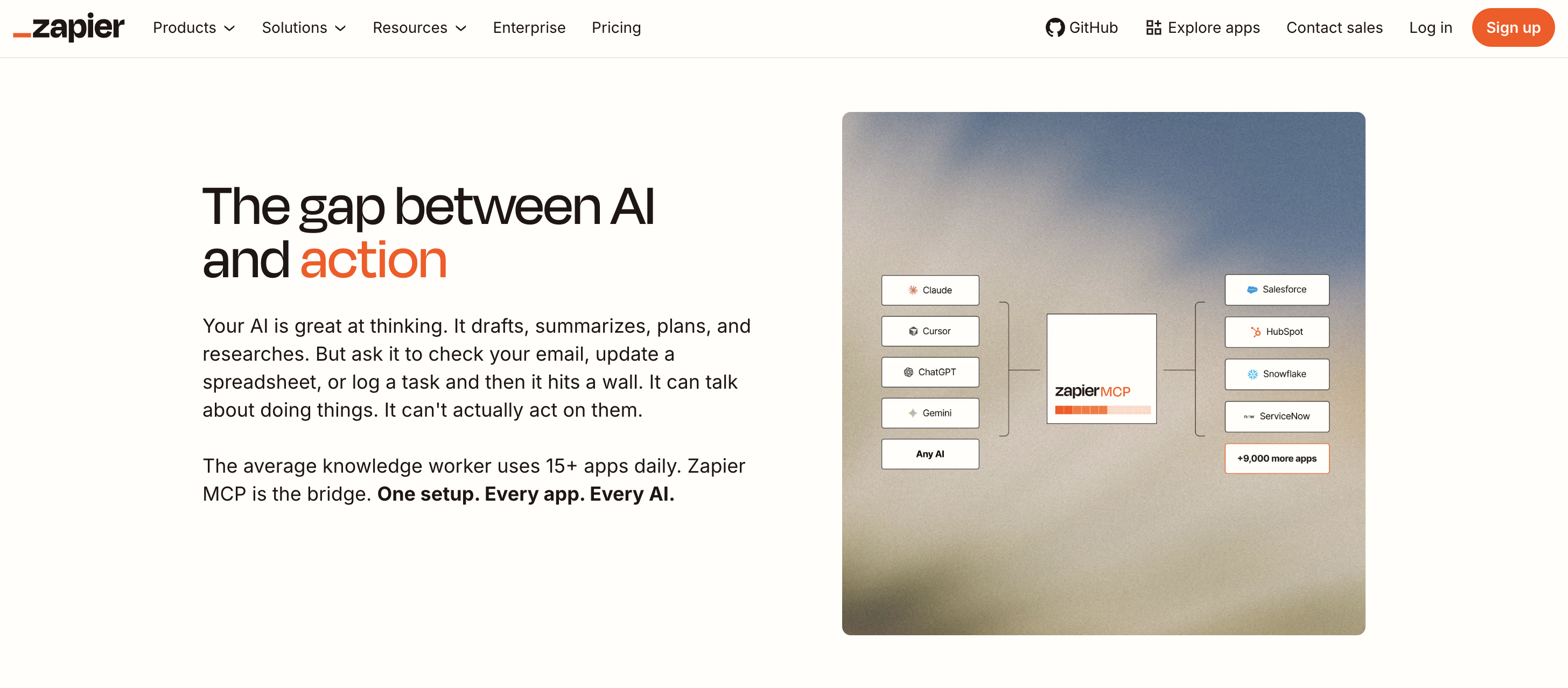
Pricing rides on your existing Zapier plan: each MCP tool call uses two tasks from your plan’s task quota, the same bucket your regular Zaps draw from (pricing as of August 2026). That makes cost predictable if you already know your task usage, and harder to forecast if an agent is calling tools throughout the day at a rate you haven’t budgeted for.
Choose it when: QuickBooks is one of several everyday apps your agent needs to act on, and you’re already on a Zapier plan (or don’t mind task-based billing).
Composio for QuickBooks
Composio QuickBooks access comes through a dedicated toolkit, pitched directly at people building AI agents and chatbots, not end-user automations. Its own copy talks about connecting tools like Claude, ChatGPT, and Cursor to QuickBooks to generate invoices, track expenses, fetch transactions, and manage customers through natural language. The QuickBooks toolkit itself lists 105 tools spanning customer management, invoicing, bill payments, tax codes, and financial reports, with named tools like Create Invoice, Read Customer, and Customer Balance Report: narrower than Zapier’s everything-catalog, but deeper on QuickBooks specifically. Composio’s own demo playground suggests prompts like “generate a balance report for customer ABC” or “create a vendor for monthly office supplies” to show the toolkit off, and setup runs through its SDK rather than a no-code UI: initialize the Composio client, create a Tool Router session, then point your agent at the resulting MCP endpoint over HTTP.
Pricing is metered by tool call: a free tier covers 20,000 calls/month, then $29/month for 200,000 calls, and $229/month for 2 million calls, with per-call overage pricing above each tier (pricing as of August 2026). Composio also handles OAuth for you across 1,000+ toolkits, so your agent gets QuickBooks access without running its own auth flow.
Choose it when: you’re building an agent or chatbot product and want a QuickBooks-specific toolkit with managed auth, rather than a general-purpose automation catalog.
Pipedream Connect for QuickBooks
Pipedream QuickBooks access is built around embedding. Its Connect product is for developers who want to offer QuickBooks (and 3,000+ other apps) as tools inside their own application, with Pipedream managing OAuth for each of your end users rather than one shared connection. Its QuickBooks component registry is action-named rather than count-only: create-invoice, get-customer, search-invoices, send-invoice, and void-invoice are real actions in the catalog, alongside report pulls like get-balance-sheet-report and get-cash-flow-report. (Workday agreed to acquire Pipedream in November 2025, and the deal has since closed.)
Pricing is credit-based: a free tier includes 100 credits/month, and the paid Connect tier is $99/month for a larger credit allowance plus $2 per connected end user (pricing as of August 2026). That structure is aimed at products with many end users authorizing their own QuickBooks accounts, not a single internal automation.
Choose it when: you’re shipping a product where your own users each need to connect their own QuickBooks account, and you want that auth and tool-calling handled for you.
Pricing compared
Three different metering models, which is what makes these hard to compare on a single number:
| Zapier MCP | Composio | Pipedream Connect | |
|---|---|---|---|
| Metered in | Tasks (2 per MCP call) | Tool calls | Credits |
| Free tier | Uses existing plan quota | 20,000 calls/mo | 100 credits/mo |
| Entry paid tier | Plan-based | $29/mo for 200K calls/mo | $99/mo + $2/user |
| Next tier | Higher plans | $229/mo for 2M calls/mo | Custom/Enterprise |
| Best fit | Broad automation across many apps | Purpose-built agents/chatbots | Embedding tools for your own end users |
Figures current as of August 2026; re-verify against each vendor’s own pricing page before relying on them, as this category changes monthly.
When each one fits
- You’re automating everyday business processes and QuickBooks is one app among many your agent touches: Zapier’s app catalog is the widest.
- You’re building an agent or chatbot product and want a QuickBooks-specific toolkit with managed OAuth: Composio’s toolkit and pricing are built for that.
- You’re shipping software where your own users connect their own QuickBooks accounts: Pipedream Connect’s per-user pricing and embeddable auth are built for exactly that case.
What managed platforms don’t give you
All three solve authentication and tool access. None of them can undo what com.intuit.quickbooks.accounting already settled: the token behind the connection can write, because Intuit publishes no accounting scope that can’t. Anything narrower is a promise made in a tool list rather than a boundary enforced by QuickBooks, and with a default update that nulls every field it wasn’t given, a badly composed call costs the record, not just the request.
Each platform also authenticates as the connection, not as the person typing. The realm grants what the realm grants, so a question from a warehouse lead and a question from the CFO arrive at Intuit as the same realmId carrying the same scope. What gets logged is each platform’s own task or call history, which tool fired, not who asked, or what came back.
None of that matters much for an agent you wrote, scoped, and operate yourself. It matters a great deal the moment the people asking are the rest of the company. Kipper’s QuickBooks MCP server puts the read-only boundary above the API, where QuickBooks itself declines to offer one (writing is architecturally impossible rather than merely unregistered), and resolves per-user permissions when the query runs, with every question and answer logged.
FAQ
What’s the difference between Zapier, Composio, and Pipedream for QuickBooks MCP?
All three are managed platforms that expose QuickBooks (and thousands of other apps) as MCP tools without you running a server. Zapier reaches the widest app catalog (9,000+ apps, 30,000+ actions) and is priced in tasks. Composio is agent-builder focused, with a QuickBooks toolkit of 105 tools and usage-based pricing by tool call. Pipedream Connect is built for embedding tools inside your own product, with a credit-based free tier and per-user pricing at higher volumes.
Do I need to run a server to use Zapier, Composio, or Pipedream with QuickBooks?
No. That’s the point of all three. Each is a hosted, managed platform: you authenticate QuickBooks once through their OAuth flow, and your agent calls their MCP endpoint instead of running its own local process.
Can these platforms write to QuickBooks?
Yes, all three are read-write and action-oriented by design. That’s their reason to exist. Zapier’s QuickBooks actions are dominated by create/update operations; Composio and Pipedream expose both read and write tools. None of them are read-only by architecture, so scope access and credentials carefully if you’re connecting one to production books.
How is pricing metered on these platforms?
Differently, which makes them hard to compare directly. Zapier meters in tasks (1 MCP call = 2 tasks against your existing plan quota). Composio meters in tool calls (free 20K/month, then $29/month for 200K, $229/month for 2M). Pipedream Connect meters in credits (free 100/month, then $99/month for 10K credits plus $2 per connected end user). Pricing as of August 2026.
Which one should an AI agent builder pick for QuickBooks?
It depends on what else the agent touches. Pick Zapier if QuickBooks is one of many everyday business apps your agent needs alongside CRM, docs, and messaging tools. Pick Composio if you’re building an agent product and want managed OAuth plus a large toolkit catalog. Pick Pipedream Connect if you’re embedding tool access inside your own app for many end users, since its pricing and auth model are built for that.
Are these safer than running a QuickBooks MCP server myself?
Safer to operate, not necessarily safer to use. You skip owning OAuth tokens, uptime, and process management. But none of the three add QuickBooks-specific permission scoping, per-user access control, or an audit trail of what was asked and answered. That’s a different category of tool, covered in our comparison of all QuickBooks MCP options.
Want the full picture across all QuickBooks MCP options? See QuickBooks MCP servers compared, or the ultimate QuickBooks MCP guide.
Prefer a SQL surface to tool calls? See CData QuickBooks MCP: SQL access compared.
Want governed answers instead of an agent taking actions? See Kipper’s QuickBooks MCP server.