









30 Questions You Can Ask AI About Your Xero Data
Safe Xero AI questions and prompts for Kipper, the official Xero MCP server, and third-party Xero MCP tools, with clear scope and capability boundaries.
On this page +
See it live
Ask Kipper about your Xero data.
Invoices, supplier bills, purchase orders and credit notes.
Schedule free onboardingNo signup. Runs in your browser.
Once an AI assistant is connected to Xero through MCP or a hosted finance layer, the useful questions are the ones the connection is actually allowed to answer.
This guide keeps the boundaries explicit:
- Kipper answers from supported Xero records: contacts, customers, suppliers, invoices, payments, bills, bill payments, purchase orders, inventory or items, credit notes, and supplier credits. It also returns three Xero reports: the trial balance, profit and loss, and balance sheet.
- The official Xero MCP server and some third-party implementations may expose broader Xero API tools, including scope-dependent report, banking, payroll, or write-capable tools.
- What limits each route is different. Kipper answers from its own supported record layer, with per-person Kipper permissions applied to the request. A raw Xero MCP or API connection is governed by the scopes you authorized and by the Xero access of the user who authorized it, which Xero requires to be a Standard, Adviser, or Administrator level user.
One thing scopes do not do is restrict rows. A Xero scope names a resource area and an access level, such as accounting.invoices.read, so it decides which endpoints an app can call rather than which records inside them it can see. Read access to an endpoint can still mean read access to everything that endpoint returns for the connected organization. If your plan depends on narrowing that further, test it against your own connection. Xero MCP Scopes Explained covers the scope model in detail.
Available questions depend on the server, authorized Xero scopes, and data exposed by the selected integration. The official Xero MCP server and third-party implementations may expose records that Kipper does not support.
Questions Supported Through Kipper
Use these when your team is asking through Kipper: in a Slack channel, in a Teams DM or channel, by text, or from an AI client through the Xero Claude connector, Xero ChatGPT connector, or Xero Gemini connector. They stay inside Kipper’s supported Xero record layer.
Accounts Receivable
- Which invoices are overdue?
- Which customers owe the most?
- Which invoices for [customer] are still unpaid?
- Has [customer] paid their latest invoice?
- Show invoices for [customer] in [date range].
- Which invoices are partially paid?
- Which customer credit notes were issued this month?
What comes back: totals with the records behind them. A good answer should include the overall number, the records driving it, and enough detail to reconcile the answer back to Xero.
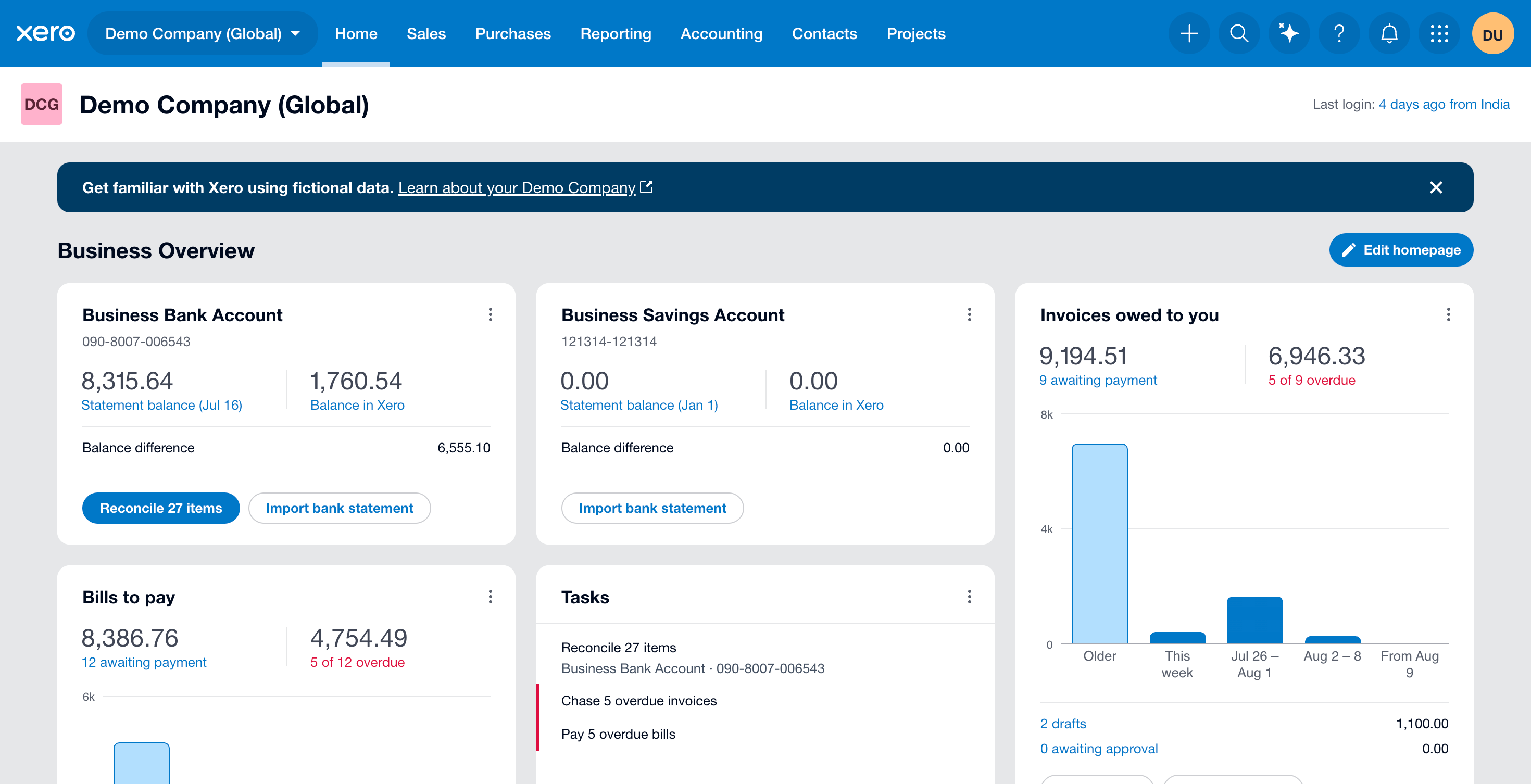 Use Xero’s built-in Demo Company for raw MCP tests, then move to real data only after scopes and behavior are clear.
Accounts Payable
- Which bills are due soon?
- Which supplier invoices remain unpaid?
- Which bills are overdue?
- What payments were made to [supplier] in [date range]?
- Which supplier credits are still available?
- Find bill [reference] and show supplier, due date, status, and remaining amount.
Purchasing, Contacts, and Items
- What purchase orders are still open?
- What is the status of purchase order [PO number]?
- Which purchase orders were created for [supplier] this quarter?
- Find contact [customer or supplier] and show supported contact details.
- Find item [item name or code].
- Which inventory or item records appear on open purchase orders?
Financial Reports
- Show the profit and loss for [period].
- Show the balance sheet as of [date].
- Show the trial balance as of [date].
Xero has no cash flow statement through Kipper, so ask for that on a QuickBooks or NetSuite connection instead. Kipper returns the report Xero produced rather than recalculating one.
Bank and cash balances are answerable, read from the balance sheet Xero produced. What stays out is the detail underneath them: individual bank feed transactions, imported bank statements, and reconciliation status.
Fast Lookups
- Find invoice [number] and show status, total, due date, amount paid, and amount due.
- Show payments received from [customer] in [date range].
- Show all unpaid invoices over [amount], oldest first.
- Show bills due between [start date] and [end date].
- Find credit note [reference].
- Find supplier credit [reference].
For invoice lookups, Kipper can also return the invoice document itself: see Download Xero Invoice PDFs Without a Xero Login.
Copy-Ready Kipper Prompts
Overdue Customer Invoices
Use Kipper's Xero connection only.

Find unpaid customer invoices that are overdue as of today.
Return:

- customer
- invoice number
- due date
- days overdue
- amount due
- payment status

Do not create, update, approve, post, or delete records.
Customer Payment Status
Use Kipper's Xero connection only.

For [customer name], show:

- latest invoice
- invoice date
- due date
- total
- amount paid
- amount due
- payment status

If there are multiple matching contacts, list them first and ask which one to use.
Do not modify Xero records.
Bills Due Soon
Use Kipper's Xero connection only.

List supplier bills due in the next 14 days.
Return:

- supplier
- bill number or reference
- due date
- amount due
- status

Sort by due date, oldest first.
Do not approve, pay, edit, or delete anything.
Purchase Order Lookup
Use Kipper's Xero connection only.

Find purchase order [PO number].
Return:

- supplier
- status
- order date
- expected date where available
- line items where available
- total

Do not modify Xero records.
Questions for Official or Third-Party Xero MCP Servers Only
The official Xero MCP server lists some tools Kipper does not support, including bank transaction, account, tracking, quote, payroll, create, update, and delete tools. Those capabilities are official-server or third-party-server capabilities, not Kipper capabilities.
Use this section only when you are operating a raw MCP server or platform connection, you have verified the authorized scopes, and the business owner has approved the data exposure.
Examples that may be available outside Kipper:
- Return organization details with
accounting.settings.read. - List accounts if the authorized connection exposes account tools.
- List individual bank transactions only when the selected server exposes bank transaction tools and the matching Xero banking scope is authorized.
Do not mix these prompts into a Kipper rollout. They require different data surfaces and different controls.
Questions Kipper Should Not Answer
Kipper should not answer Xero questions about individual bank transactions, imported bank statements, bank reconciliation, journal-entry workflows, general-ledger analysis, month-end close, closing the books, forecasting, anomaly detection, duplicate detection, discrepancy detection, or writing to Xero. The cash flow statement is also out on a Xero connection specifically, as covered above.
Bank balances, cash position and burn rate are answerable. Kipper reads the balance from the Balance Sheet Xero produced, and computes money in and out across any period you name. Runway and cash planning sit on the other side of the line: Kipper supplies the burn and the balance, and your AI assistant builds the projection from them and labels it as a projection.
The line runs between reading and doing. Kipper returns a record, a report line, or a report Xero already produced. It does not reconcile, close a period, project forward, or write anything back, and those are the tasks that need someone accountable inside Xero itself.
Three Kipper Questions to Try First
- “Which customers have overdue invoices over $5,000?” Useful, specific, and immediately actionable.
- “Has [customer] paid their latest invoice?” A clean sales or support lookup.
- “Which supplier bills are due in the next two weeks?” A clean accounts payable test for finance and operations.
If those three come back with real customers, invoice numbers, due dates, and amounts, the connection is doing useful work inside the supported boundary.
FAQ
What questions can AI answer from Xero data? It depends on the selected connection. Kipper supports record-level questions about contacts, customers, suppliers, invoices, payments, bills, bill payments, purchase orders, inventory or items, credit notes, and supplier credits, plus three Xero reports: the trial balance, profit and loss, and balance sheet. The official Xero MCP server and third-party tools may expose broader Xero records depending on authorized scopes.
Do I need to know Xero reports or SQL? No. With Kipper, you ask in plain English and Kipper answers from the supported, permissioned Xero record layer. Raw MCP setups may require more precise prompts and scope review.
Can AI change anything in Xero while answering? Kipper cannot create, update, approve, post, or delete Xero records. Raw MCP servers and automation platforms may expose write tools if write-capable scopes are authorized.
Where can my team ask these Xero questions? With Kipper, teams can ask in Slack, Microsoft Teams, SMS, and MCP-enabled AI clients. Local MCP setups usually serve one technical user on one machine.
For the complete comparison, read The Ultimate Guide to Xero MCP. To test the official server yourself, start with How to Set Up Xero MCP Server (Developer Guide). To give a team read-only MCP route, see Kipper’s Xero MCP connector.