









How to Set Up a QuickBooks MCP Server With Claude (2 Ways)
Get started with QuickBooks MCP in Claude two ways: Intuit's official server for developers, or a hosted no-code route. Steps, time, and pitfalls for each.
On this page +
See it live
Ask Kipper about your QuickBooks data.
Invoices, payments, vendor bills and purchase orders.
Schedule free onboardingNo signup. Runs in your browser.
Getting started with QuickBooks MCP means choosing one of two routes. Intuit’s official open-source MCP server is free and built for developers: you’ll register an app, handle OAuth, and run the server on your own machine. A hosted QuickBooks MCP server like Kipper is built for finance teams: you authorize QuickBooks once in a web portal and add a single connection to Claude, with no code involved. This guide walks through both, so you can pick the route that matches who’s doing the setup.
In this guide:
- What you’re actually setting up
- Route 1: Intuit’s official QuickBooks MCP server (developer route)
- Route 2: A hosted QuickBooks MCP server (no-code route)
- The same setup in ChatGPT and Gemini
- Which route should you choose?
- What to ask once you’re connected
- FAQ
What you’re actually setting up
MCP, or Model Context Protocol, is the open standard that lets Claude connect to external systems. A QuickBooks MCP server sits between Claude and your QuickBooks Online data: Claude asks the server for data, the server queries QuickBooks, and Claude reasons over real records instead of guessing.
Once connected, questions like “which invoices are more than 30 days overdue?” or “what were our expenses by category last month?” get answered from your actual books, in seconds. (Intuit ships AI of its own too, aimed at a different job: see QuickBooks AI: what Intuit gives you, and what it doesn’t.)
Route 1: Intuit’s official QuickBooks MCP server (developer route)
Intuit publishes an official open-source QuickBooks Online MCP server on GitHub. It covers the full QuickBooks Online API with 140+ tools across 29 entity types and 11 financial reports. It runs locally on your machine as a stdio server.
What you need: Node.js, a GitHub account, an Intuit Developer Portal account, and comfort with OAuth and environment variables. Budget an hour or two for the first setup. Client-specific walkthroughs once it builds: Claude Desktop and Codex.
- Clone and build the repo.
git clone,npm install,npm run buildper the README. - Create an app in the Intuit Developer Portal. Add
http://localhost:8000/callbackas a redirect URI and grab your Client ID and Client Secret. Intuit does not offer per-user API keys, so there is no shortcut around creating an app, even to read your own company’s data. - Complete the OAuth handshake. Run the auth script, sign in to your QuickBooks company, and the refresh token lands in your
.env. Heads-up for production: Intuit rejectslocalhostredirect URIs for production apps, so you’ll need an ngrok tunnel or a small public callback handler for the first handshake. This is the step that trips most people up (it’s called out in the repo’s own docs). - Add the server to Claude. Point your MCP client configuration at the built server with your credentials in the
envblock, then restart Claude.
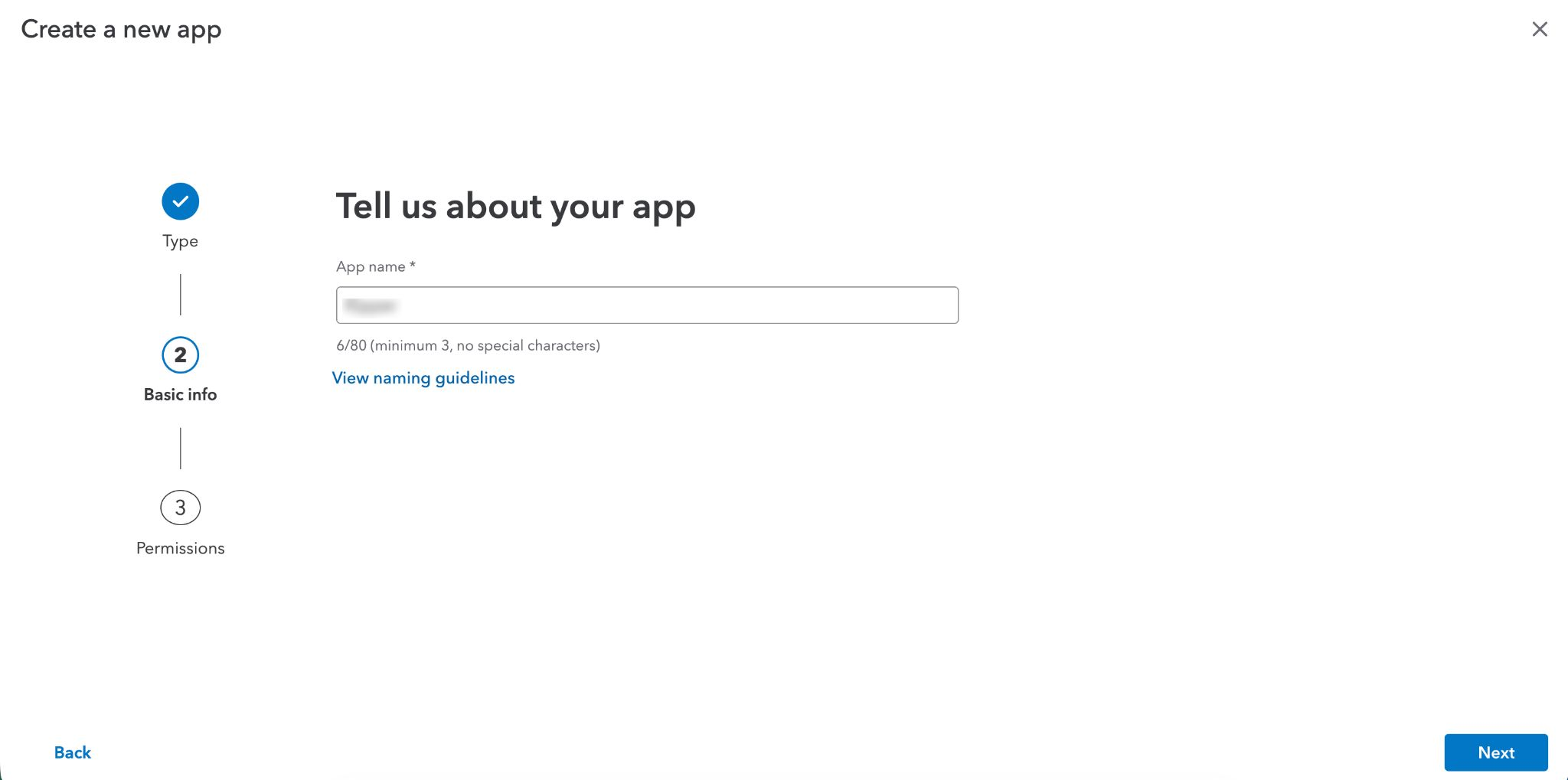 Step 2: create an app in the Intuit Developer Portal to get a Client ID and Secret.
Step 3: sign in to the QuickBooks company you want to connect during the OAuth handshake.
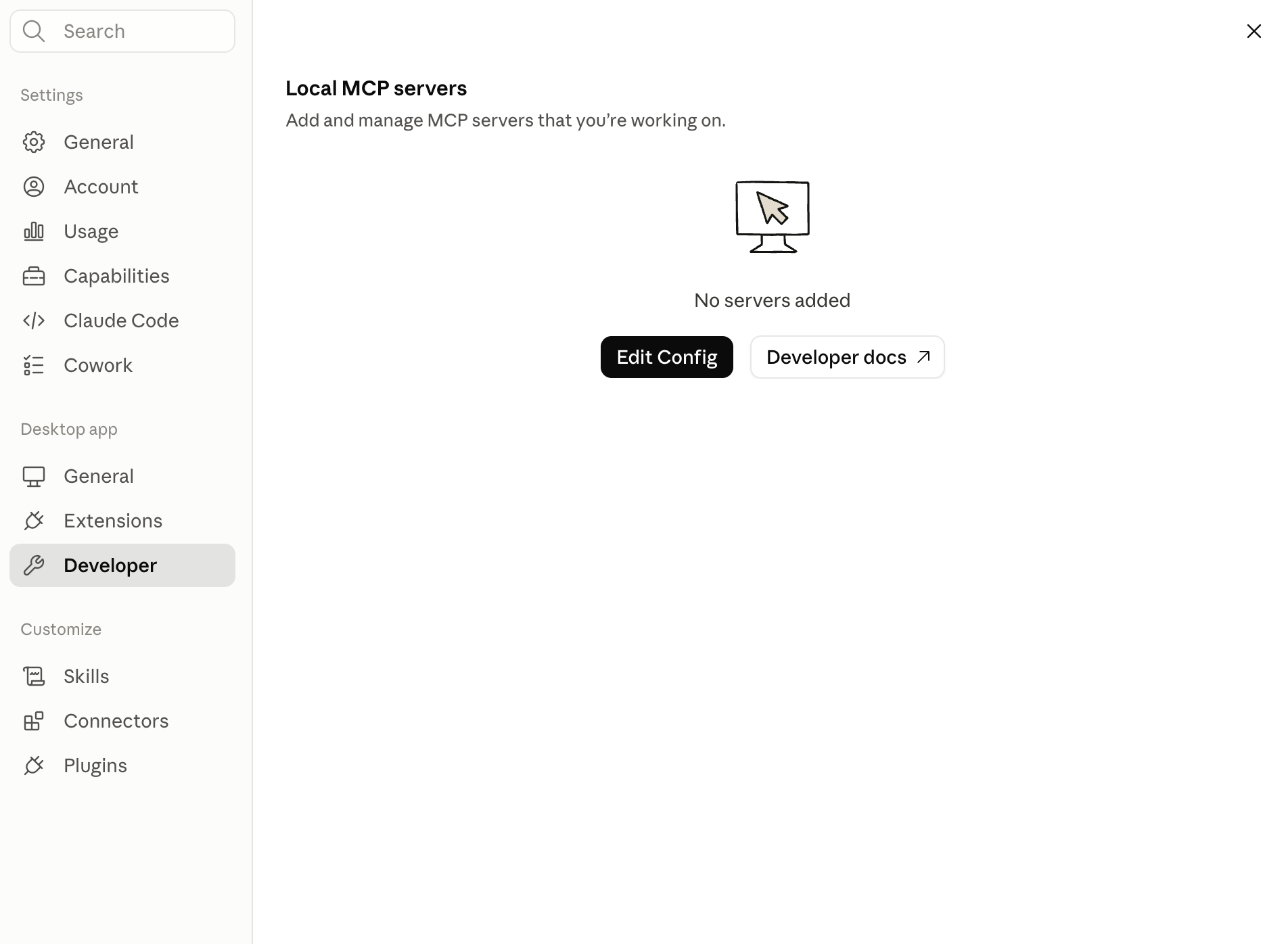 Step 4: in Claude Desktop, Settings → Developer → Edit Config opens the file where you add the server.
One thing to check before connecting company data: the official server registers create, update, and delete tools by default. Read-only mode is opt-in, via QUICKBOOKS_DISABLE_WRITE, QUICKBOOKS_DISABLE_UPDATE, and QUICKBOOKS_DISABLE_DELETE flags in your config. If you skip those flags, anyone using that Claude connection can modify records in your books through a conversation. Set all three unless you specifically need write access.
For the full local walkthrough, with env files, token handling, and the config gotchas, see How to Set Up QuickBooks Online MCP Locally for Developers.
Route 2: A hosted QuickBooks MCP server (no-code route)
If nobody on the team wants to run a local server or manage OAuth apps, a hosted QuickBooks MCP server does the same job without the setup. Here’s how it works with Kipper:
- Connect QuickBooks Online. Authorize Kipper from the admin portal with your QuickBooks credentials. The initial data sync typically takes about 10 minutes.
- Set permissions. Decide what each user or team can see: everything, AR only, or a custom scope. Sensitive areas like payroll or owner draws can be excluded before Claude ever sees them.
- Add the Kipper MCP server in Claude. One connection, no API keys, no redirect URIs, no local process to keep running. (More on how the Claude integration works.)
- Ask your first question. “What’s our total outstanding AR right now?” returns the actual figure in about five seconds.
Most teams are live in under an hour, and no step requires a developer. The connection is read-only by architecture (there is no write mode to disable), every question is logged to an audit trail, and answers come from a webhook-fresh cached copy of your QuickBooks data.
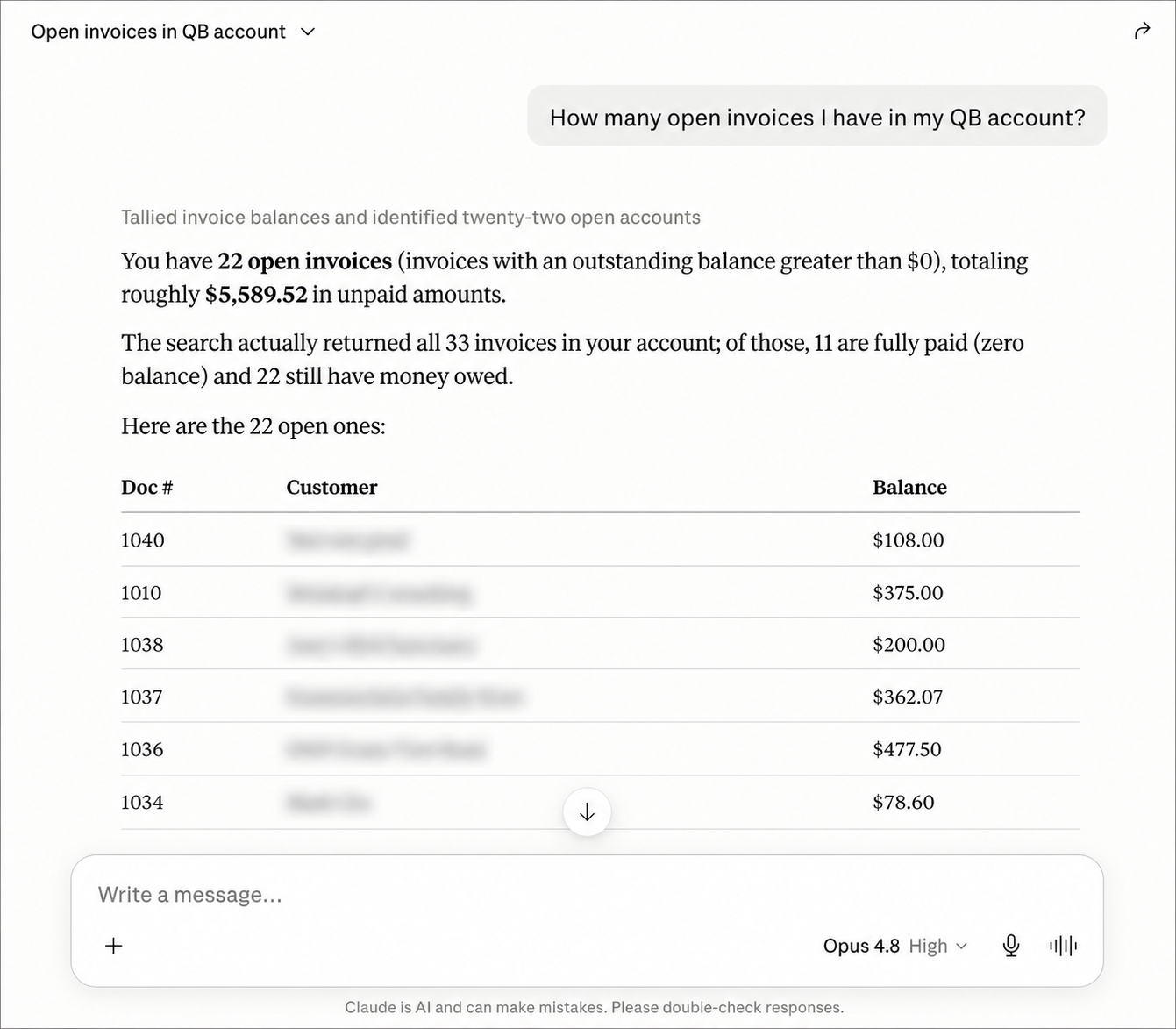 Either route ends the same way: Claude answering from real QuickBooks records, with specific amounts and customer names.
The same setup in ChatGPT and Gemini
If your team uses ChatGPT or Gemini instead of Claude, the hosted route works the same way: connect QuickBooks to Kipper once, then add the Kipper MCP connection in each assistant’s connector settings. Steps 1 and 2 above don’t change at all; only the final “add the connection” step happens in a different app. Permissions and audit logging apply identically, because they’re enforced by Kipper before any assistant sees the data. Details for each assistant: QuickBooks + ChatGPT and QuickBooks + Gemini.
Intuit’s official server is a different story: it runs locally as a stdio process, which suits desktop MCP clients. Connecting it to ChatGPT or Gemini depends on each assistant’s current support for local versus remote MCP servers, so check their connector documentation before choosing that route for a non-Claude assistant.
Which route should you choose?
| Intuit’s official server | Hosted (Kipper) | |
|---|---|---|
| Who sets it up | A developer | Anyone with QuickBooks admin access |
| Time to first answer | 1–2 hours | Under an hour |
| Cost | Free | From $200/mo (14-day free trial) |
| Write protection | Opt-in flags you must set | Read-only by architecture |
| Per-user permissions | No | Yes |
| Audit trail | No | Every question logged |
| Runs | On your machine | Hosted |
| Also works in | Any local MCP client | Claude, ChatGPT, Gemini, plus Slack, Teams, SMS |
Pricing as of August 2026.
Choose Intuit’s server if you’re a developer building something custom, you want write access on purpose, or free matters more than setup time. Bear in mind QuickBooks publishes no read-only API scope, so read-only on that route is something you configure rather than something the connection guarantees. Choose a hosted server if a finance team is doing the connecting, read-only access and an audit trail are requirements, or the same data should also be answerable from Slack and Teams.
What to ask once you’re connected
Good first questions that exercise real data:
- “Which customers have overdue balances over $5,000?”
- “What were our total expenses last month by category?”
- “Has [customer] paid their last invoice?”
- “Which unpaid bills are due this week?”
If the answers come back with specific amounts, dates, and customer names, the connection is working. If Claude hedges or generalizes, it isn’t reading your data, so check the connection.
For a longer list grouped by who is asking, see 30 Questions You Can Ask AI About Your QuickBooks Data.
FAQ
How do I get started with QuickBooks MCP? Pick a route based on who’s setting it up. Developers: clone Intuit’s official MCP server from GitHub, create an Intuit developer app, complete OAuth, and add the local server to Claude (1 to 2 hours). Non-developers: use a hosted MCP server like Kipper, which connects QuickBooks to Claude from a web portal in under an hour with no code.
Does QuickBooks MCP work with Claude? Yes. Both routes connect to Claude via MCP. Intuit’s server runs locally and works with any MCP client; hosted servers like Kipper connect to Claude, ChatGPT, and Gemini, and power Slack and Teams apps from the same connection.
Does QuickBooks MCP work with ChatGPT and Gemini? Yes. A hosted QuickBooks MCP server like Kipper connects to ChatGPT and Gemini the same way it connects to Claude: one QuickBooks authorization, then one connection added in the assistant’s settings. The setup steps, permissions, and audit trail are identical across all three.
Is the QuickBooks MCP server safe to connect to real company data? It depends on the configuration. Intuit’s official server includes create, update, and delete tools unless you disable them with environment flags, so set those flags before connecting production data. Hosted options like Kipper are read-only by architecture, with per-user permissions and audit logging.
Do I need QuickBooks Desktop or QuickBooks Online? For the MCP routes in this guide — Intuit’s official server and Kipper’s connector in Claude — use QuickBooks Online. QuickBooks Desktop uses a different technical stack (the Desktop SDK and qbXML) that QuickBooks Online MCP servers, including Intuit’s, don’t reach. Kipper does support QuickBooks Desktop, but in Slack, Teams, and SMS today rather than the Claude MCP route — and it syncs only while QuickBooks is running with the company file open.
What does a QuickBooks MCP server cost? Intuit’s official server is free and open source; your cost is developer time. Kipper is $200/month including 10 users and 2,000 questions/month, with a 14-day free trial (pricing as of August 2026).
Ready to skip the OAuth setup? See the QuickBooks MCP server built for finance teams. For the wider picture, everything you need to know about QuickBooks MCP covers every route in one place.