









Xero MCP Custom Connections vs OAuth Apps
Choose the right Xero auth model for MCP: Custom Connections for one organization, OAuth apps for multi-tenant flows, and hosted options for teams.
On this page +
See it live
Ask Kipper about your Xero data.
Invoices, supplier bills, purchase orders and credit notes.
Schedule free onboardingNo signup. Runs in your browser.
Xero MCP setup usually starts with one auth decision: Custom Connection or OAuth app.
Both can connect software to Xero, but they fit different jobs. A Custom Connection is good for one organization and a controlled setup. A normal OAuth app is better when users or customers need to authorize their own Xero organizations.
The Short Answer
| Use case | Best fit |
|---|---|
| Local MCP test with the Demo Company | Custom Connection |
| One company’s internal Xero MCP setup | Custom Connection |
| Several client organizations | OAuth app |
| Public SaaS product | OAuth app |
| ChatGPT or hosted team access | Hosted remote MCP layer or OAuth-backed service |
If you are following How to Set Up Xero MCP Server (Developer Guide), use a Custom Connection first.
What a Xero Custom Connection Is
A Custom Connection is Xero’s one-to-one integration shape for a single organization. Xero’s FAQ states that a Custom Connection can only connect to one organization.
For Xero MCP, that simplicity is useful:
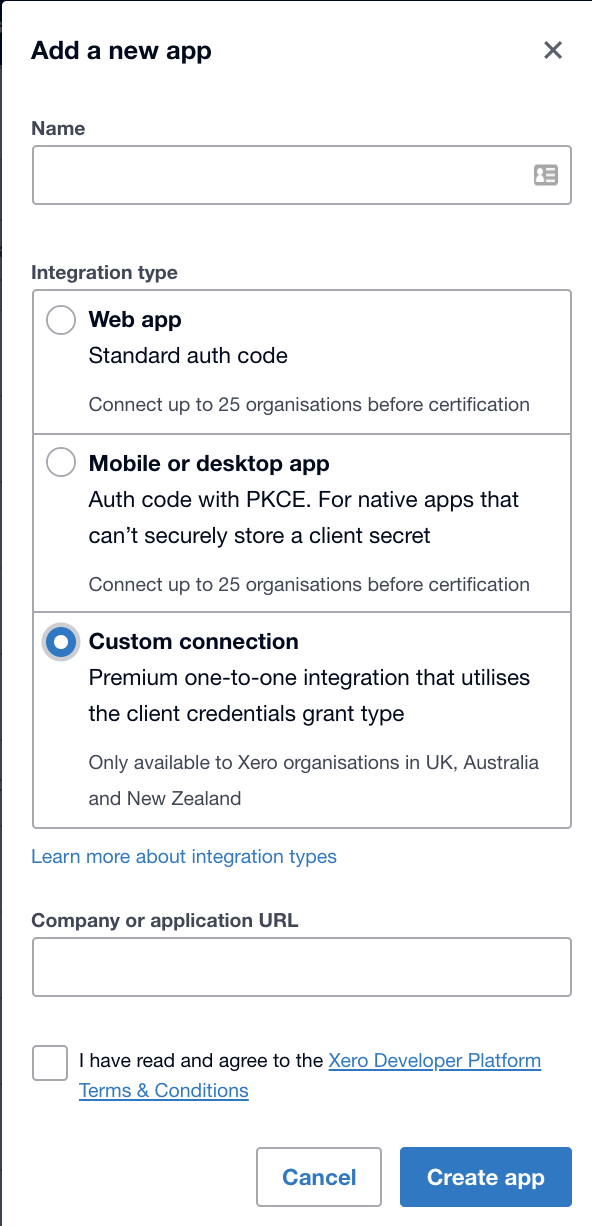
- You create a Xero Developer app.
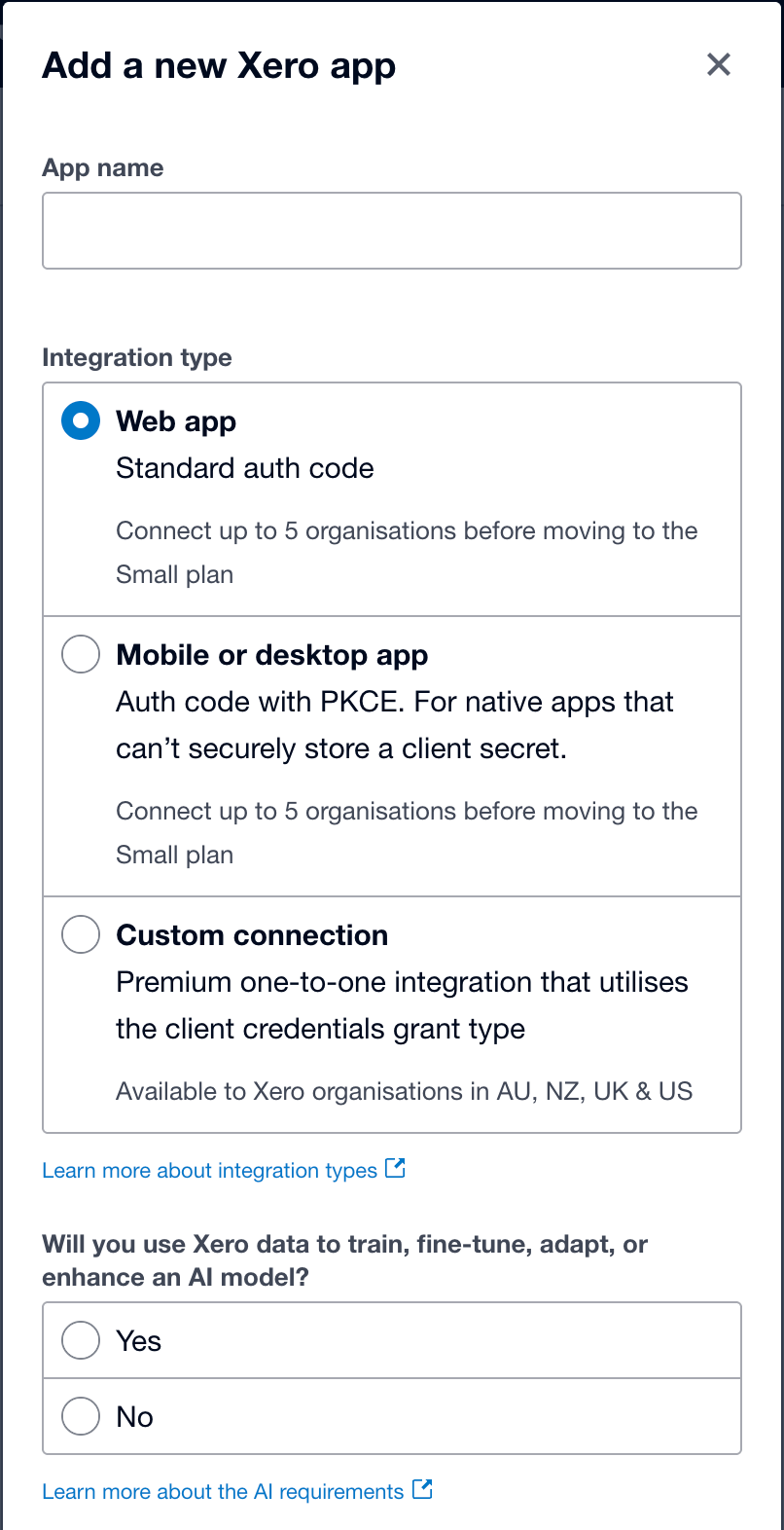
- You choose Custom Connection.
- You select scopes.
- The authorizing user approves the connection.
- The MCP server uses Client ID and Client Secret.
Not just anyone can be that authorizing user. Xero’s developer FAQ states that “the user that connects the integration has to have either Standard, Adviser, or Administrator level user with the Connected Apps permission.” A view-only user cannot stand one up. If an organization does not appear in the authorization dropdown, that requirement is the first thing to check, along with whether the app is already connected to it.
That requirement matters after setup too. Xero says “the API essentially works on behalf of the user that authorised it to connect,” and ties some endpoints to that user’s own access: Reporting APIs and the /ManualJournals and /Journals endpoints need Reports access, and the Payroll APIs need Payroll Admin. So the connection’s reach is shaped by a specific person’s Xero role, not by the scope list alone. Xero does not document exactly what happens to a live connection after that person’s access changes, so if a previously working connection fails after a staffing or role change, verify the user’s access and re-authorize with a qualifying user if needed.
There is no normal user-facing OAuth consent flow inside your app. Xero sends the authorizing user through the approval flow when the Custom Connection is created or changed.
What a Normal OAuth App Is
A normal Xero OAuth app is for user-driven authorization. The app redirects a user to Xero, the user approves scopes, and the app receives tokens. If the app requests offline_access, it can refresh access tokens without the user approving again.
Use this when:
- You support more than one Xero organization.
- Different users need to connect their own Xero accounts.
- You are building a SaaS product.
- Your MCP server needs runtime auth rather than one fixed Client ID and Secret.
- You need a public or multi-tenant ChatGPT app.
This path is more flexible, but it is also more engineering work.
How This Maps to Xero MCP
The official Xero MCP server supports:
- Custom Connections using
XERO_CLIENT_IDandXERO_CLIENT_SECRET - Bearer token mode using
XERO_CLIENT_BEARER_TOKEN
The Custom Connection route is the recommended local starting point because it is straightforward for one organization. Bearer token mode is better when another client or service handles OAuth and passes a token to the MCP server.
Key Differences
| Question | Custom Connection | OAuth app |
|---|---|---|
| Number of organizations | One | Many |
| Best for | Internal setup, local test | SaaS, multi-tenant, user auth |
| Token handling | Client credentials style | Access and refresh tokens |
| User consent | Authorization email/setup flow | OAuth redirect flow |
| MCP fit | Local or internal server | Hosted app or product |
| Complexity | Lower | Higher |
Scope Changes and Re-Authorization
Scopes matter in both models. For Custom Connections, changing the connection can deactivate it until it is re-authorized. Xero also introduced granular Accounting API scopes in 2026, so newer Custom Connections use a more specific scope model than older broad-scope connections.
Plan scopes before you connect production data. For a first MCP test, use:
accounting.settings.readThen add invoice, payment, contact, report, or payroll scopes only as needed. See Xero MCP Scopes Explained for the scope map.
Which One Should You Choose?
Choose Custom Connection when:
- You are connecting one Xero organization.
- You are testing with the Demo Company.
- A technical owner will manage the MCP setup.
- You do not need a public app or many customer tenants.
Choose OAuth app when:
- You need many organizations.
- Users need to authorize their own Xero access.
- You are building a hosted MCP endpoint for ChatGPT or another remote client.
- You need refresh-token handling and app-level auth controls.
Choose hosted access when:
- The end users are not developers.
- You need per-user permissions.
- You need audit logging.
- You want read-only answers in Slack, Teams, or SMS, or Xero records reaching an AI client through the ChatGPT, Claude, and Gemini connectors.
FAQ
Should I use a Xero Custom Connection for MCP?
Use a Custom Connection for a one-organization internal or development setup. It is the simplest route for many local MCP tests.
When should I use a normal Xero OAuth app?
Use a normal OAuth app when you need multiple Xero organizations, user-driven authorization, refresh tokens, or a product used by many customers.
Can a Xero Custom Connection connect to multiple organizations?
No. Xero states that a Custom Connection can connect to only one organization. If you’re weighing whether this is worth building yourself, see using Xero MCP with multiple organizations.
For setup steps, read How to Set Up Xero MCP Server (Developer Guide). For team access, see Kipper’s Xero MCP connector. For how auth fits the rest of the picture, see everything you need to know about Xero MCP.