









QuickBooks Desktop MCP: How to Connect It to AI Tools
Connect QuickBooks Desktop to Claude and other AI tools with MCP. Compare Conductor.is, CData, custom integrations, and Kipper to find the right approach.
On this page +
See it live
Ask Kipper about your QuickBooks data.
Invoices, payments, vendor bills and purchase orders.
Schedule free onboardingNo signup. Runs in your browser.
QuickBooks Desktop doesn’t have the same cloud API that QuickBooks Online has, which makes connecting it to MCP a little different. If you want to use QuickBooks Desktop data with Claude or other AI tools, you need a way to connect through the Desktop SDK, qbXML, or Web Connector.
There are a few ways to do this today, including Conductor.is, CData, and custom integrations. This guide covers those options and where Kipper fits.
How MCP connects to QuickBooks Desktop
QuickBooks Desktop stores its data in a company file on a Windows machine. Integrations access that data through the QuickBooks Desktop SDK and qbXML, often using the QuickBooks Web Connector.
This is different from QuickBooks Online, which provides a cloud API. That’s why MCP servers built for QuickBooks Online can’t simply be used with QuickBooks Desktop.
There is currently no official Intuit MCP server for QuickBooks Desktop, but there are several other ways to connect it.
Conductor.is
Conductor provides a QuickBooks Desktop API and a hosted MCP server. It lets supported AI clients connect to QuickBooks Desktop through Conductor.
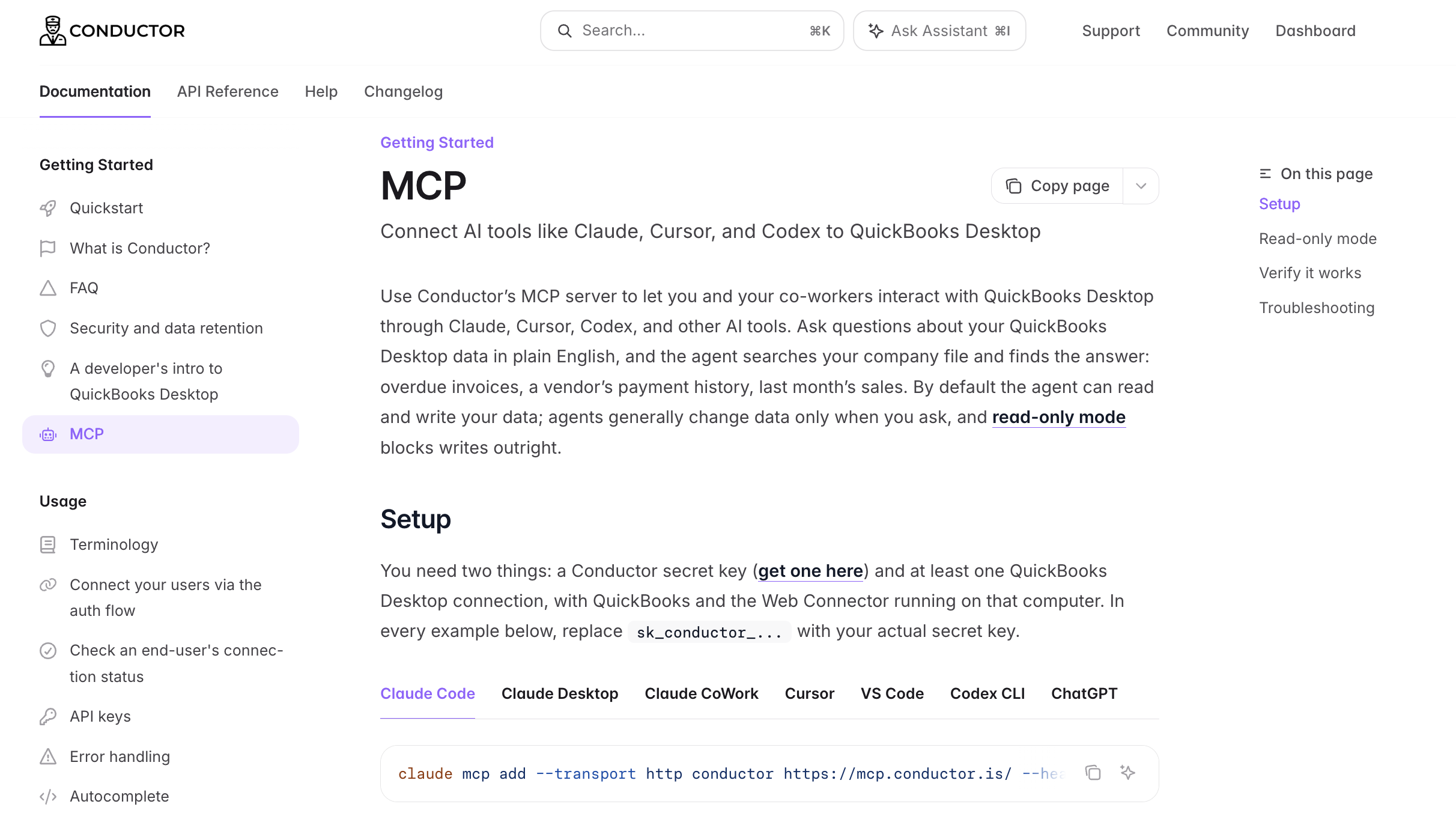
Note: Conductor’s MCP docs list the AI clients it supports, and state that QuickBooks and the Web Connector both need to be running on that computer.
There are two important things to know.
Browser support is limited. Conductor authenticates with a bearer secret key. Its documentation notes that ChatGPT on the web and claude.ai in the browser accept OAuth connectors only. Desktop apps and CLI tools work; browser tabs don’t.
It writes by default. Read-only is available as a request header, but Conductor is clear about its limits: it’s a guardrail for normal agent behavior, not a hard security boundary, and it restricts the connection rather than the key. Anyone holding the secret key can still make changes through the API directly.
QuickBooks and the Web Connector both need to be running on the connected computer. Conductor’s troubleshooting notes are explicit that data calls fail otherwise. MCP requests travel through the Web Connector connection you already have, so there’s nothing extra to configure there.
Consider it when: technical users or developers are setting it up and working in a desktop AI client or terminal.
CData MCP Server for QuickBooks
CData also offers an MCP server that can connect AI tools to QuickBooks Desktop. It supports read and write access.
The connection goes through CData’s QuickBooks Desktop Gateway, previously called the Remote Connector. You install the Gateway on the machine where QuickBooks runs, and other applications connect to QuickBooks through it. Per CData’s documentation, you open the company file with an administrator account in single-user mode for the initial authorization step. The Gateway can also point at a company file path to read data when QuickBooks isn’t running.
Consider it when: you’re already using CData for other systems and QuickBooks is one more source to connect. Its QuickBooks Online offerings, including Connect AI, are compared in CData QuickBooks MCP: SQL access compared.
Other ways to connect QuickBooks Desktop
There are also a few options for developers who want to build or manage the connection themselves.
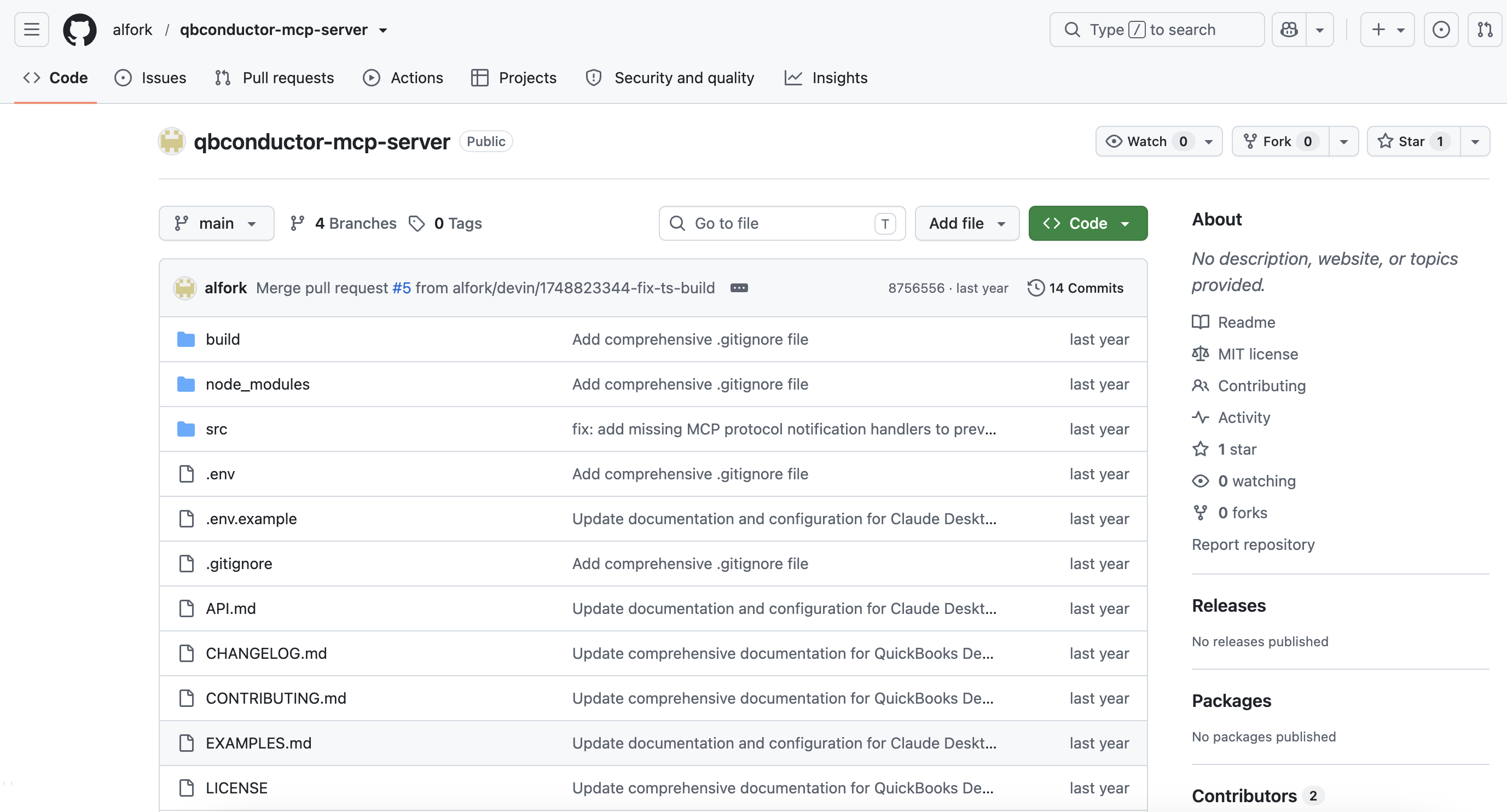
Community projects. alfork/qbconductor-mcp-server is an MIT-licensed TypeScript MCP server for QuickBooks Desktop. One caveat: it calls the Conductor API underneath, so it isn’t an independent route. You still need a Conductor account. It’s a small personal project with one star and no commits in over a year, so review the code before using it with production QuickBooks data.
Build your own connection. You can also build an MCP server using the QuickBooks Desktop SDK, qbXML, and Web Connector. Some open-source projects already handle part of the work, such as qbwc for Rails and jsgoupil/quickbooks-sync for .NET. You’ll also need to maintain the connection and the machine running it. This is reasonable if you already have engineers and a QuickBooks integration in production.
Kipper
Kipper connects to QuickBooks Desktop through the Web Connector, with QuickBooks running and the company file open on that machine. QuickBooks Desktop and Enterprise support is in beta as of September 2026, while QuickBooks Online, Xero, and NetSuite are generally available.
Unlike the options above, Kipper is built for giving people across the company access to QuickBooks answers without giving them direct access to QuickBooks. People can ask questions about QuickBooks Desktop data through Slack, a Teams channel, and plain text message.
Access is read-only, permissions can be set per user, and questions are logged. This lets teams get the financial information they need without sharing QuickBooks credentials or giving everyone access to the company file.
Desktop isn’t on the MCP route yet. Kipper’s MCP beta covers asking QuickBooks from Claude, from ChatGPT, and from Gemini for QuickBooks Online. Details are on the QuickBooks connector page.
Consider it when: multiple people need answers from QuickBooks Desktop without needing direct QuickBooks access.
Which option should you choose?
If you’re a developer who wants QuickBooks Desktop in a terminal or editor, Conductor is the straightforward choice. If you already use CData, its MCP server fits that pattern. If you have engineers and an existing qbXML integration, building your own is an option. Otherwise, using an existing service will be easier.
If the problem is that a lot of people keep asking finance to look things up, none of the developer options solve it. The question isn’t which MCP server to use. It’s how to give people answers without giving them a QuickBooks login.
That’s where tools like Kipper take a different approach, giving teams access to QuickBooks Desktop data through the tools they already use.
FAQ
Is there an official Intuit MCP server for QuickBooks Desktop?
No. Intuit’s server is QuickBooks Online only. For Desktop, you can use options such as Conductor.is or CData, or build your own connection using the QuickBooks Desktop SDK.
Can I use Conductor’s QuickBooks Desktop MCP server with ChatGPT or claude.ai in the browser?
No. Conductor uses a bearer secret key, and its documentation notes that browser ChatGPT and claude.ai accept OAuth connectors only. Desktop and CLI clients such as Claude Code, Claude Desktop, Claude CoWork, Cursor, VS Code, and Codex CLI do work.
Does QuickBooks have to be running?
For Conductor, yes. Its documentation states that QuickBooks Desktop must be running on the connected computer for data calls to succeed, along with the Web Connector. CData’s Gateway is different: it can point at a company file path to read data when QuickBooks isn’t running. Check the provider’s documentation rather than assuming.
Is a QuickBooks Desktop MCP server read-only?
Not always. Conductor allows writes by default, with a read-only option available through a request header. CData supports both read and write access. Check how each option handles read-only access before connecting it to your QuickBooks data.
Last verified: September 2026. MCP tooling changes quickly, so re-check vendor documentation before relying on these details.
Related reading
- QuickBooks MCP servers compared: all 6 options, covering the QuickBooks Online landscape
- The ultimate guide to QuickBooks MCP
- MCP vs. API: what’s actually different
- QuickBooks AI: what Intuit gives you, and what it doesn’t, for the QuickBooks Online side of the same access question